
Online games can be entertaining, educational, and social, but young children need careful supervision when using them. Parents often wonder whether a particular game is appropriate for their child, especially when downloads, advertisements, chats, purchases, and unknown players are involved. A search such as T999 Game Download should therefore not be the first step. Parents should first understand the game's age rating, privacy practices, content, permissions, payment features, and communication tools.
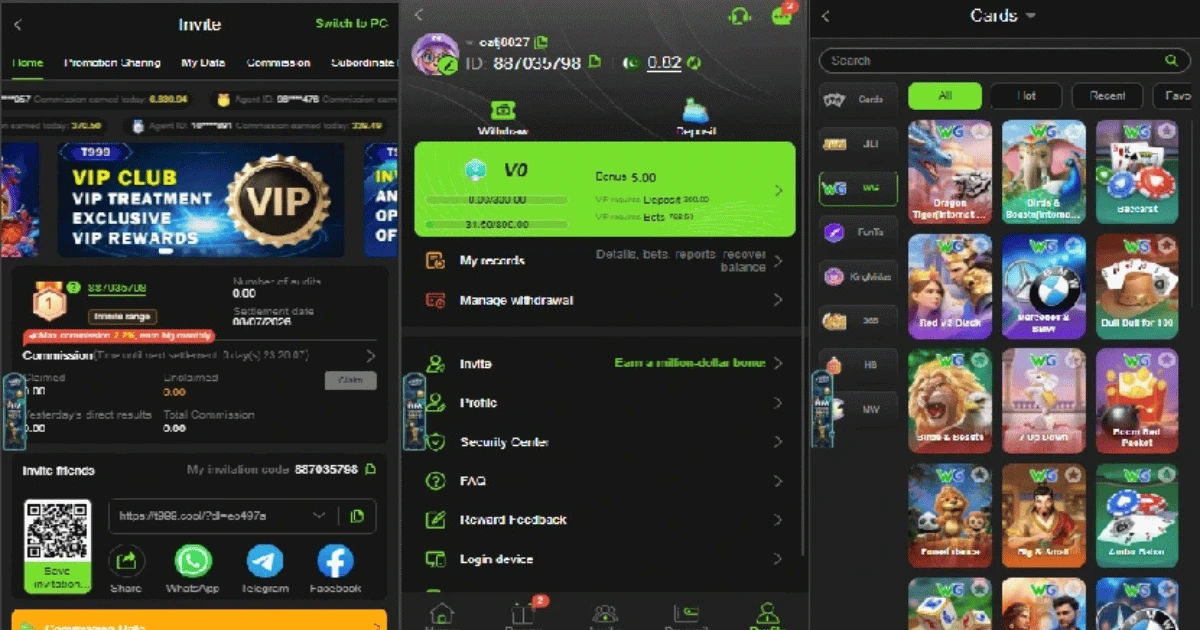
The internet gives children access to thousands of games within seconds. Some are designed specifically for children, while others may contain content or features intended for teenagers or adults. Even a game that looks simple can include advertising, external links, online chat, or purchases that create risks.
The good news is that online gaming can be made considerably safer when adults choose suitable games and establish clear rules. This guide explains the main safety concerns, what parents should check, and how young players can develop healthy gaming habits.
Online Gaming Risks for Children
Before allowing a child to play an online game, parents should consider more than whether the game appears colorful or entertaining. Online safety depends on the game's design and the child's age, maturity, and ability to recognize risky situations.
Inappropriate Content
Some online games contain violence, frightening scenes, adult themes, offensive language, or suggestive material. A child may encounter this content through the game itself, advertisements, updates, or links to other websites.
Parents should check the game's official age classification and read independent reviews when possible. Age ratings are useful starting points, although they should not replace parental judgment.
Communication With Strangers
Multiplayer games can allow children to communicate with people they do not know. Voice chat, text chat, private messages, and friend requests can create opportunities for unwanted contact.
Young children may not understand that someone online may not be who they claim to be. They should never share their full name, home address, school, phone number, passwords, photographs, or other private information with online strangers.
If a game includes communication features, parents should investigate whether those features can be disabled or restricted.
In-Game Purchases
Many online games use virtual currencies, subscriptions, upgrades, or other purchases. Children may not understand that clicking a button can result in real money being charged.
Parents should protect payment accounts with passwords, purchase authentication, or parental controls. Children should also know that they must ask permission before making any purchase.
Advertisements and External Links
Free games frequently rely on advertising. Some advertisements may be unsuitable for younger children, while others can direct players toward websites or applications that parents have not reviewed.
Parents should pay attention to whether advertisements can be limited. A child should also understand that advertisements are not automatically safe simply because they appear inside a popular game.
Is T999 Game Download Appropriate for Young Children?
Parents considering T999 Game Download should evaluate the specific game rather than assuming that every online game is suitable for children.
The most important questions concern the game's official age rating, content, developer information, privacy policy, permissions, payment options, and online interaction features.
If reliable information about the game's intended audience is difficult to find, that uncertainty itself is a reason to be cautious. Parents should avoid installing unfamiliar applications from unofficial websites simply because a search result promises a quick download.
A safer approach is to identify the official publisher or developer and use a reputable application store whenever the game is legitimately available there.
Parents should also examine reviews carefully. Reviews can reveal problems involving excessive advertisements, unexpected purchases, crashes, aggressive notifications, or inappropriate communication features.
Checking the Source Before Downloading
Where an application comes from matters greatly. Young children should never be responsible for finding and installing unfamiliar software themselves.
Use Reputable Sources
Whenever possible, applications should be obtained from established app stores or the developer's legitimate website. Parents should be suspicious of websites offering modified versions, unlimited virtual currency, unlocked features, or other promises that seem too good to be true.
Unofficial downloads can potentially contain malicious software or modified files. They may also request permissions that are unnecessary for the game.
Review App Permissions
Before installing an application, parents should examine what information or device features it requests.
A simple game may not need access to contacts, precise location, a microphone, or personal files. If an application requests extensive permissions without a clear reason, parents should investigate further before proceeding.
For a T999 Game Download, the same rule applies: check permissions and privacy information before installation rather than after a child has started playing.
Protecting a Child's Personal Information
Privacy is one of the most important parts of online gaming safety. Children may share information casually without realizing its value.
Parents should teach children never to reveal:
-
Full name
-
Home address
-
School name
-
Telephone number
-
Passwords
-
Family financial information
-
Exact daily schedule
-
Private photographs
-
Personal identification details
A username should ideally avoid revealing the child's real identity. Parents can help younger children choose a nickname that does not contain their full name, birth year, school, or location.
Creating a Safe Gaming Account
Parents should consider creating or managing the account themselves when the child is young.
A strong, unique password should be used, and two-factor authentication should be enabled when available. Children should understand that passwords are private and should not be shared with friends or strangers.
If a platform provides parental controls, parents should explore them before allowing independent gameplay.
For families researching T999 Game Download, account settings should be reviewed at the same time as the game's content. Downloading the application is only one part of creating a safe gaming environment.
Setting Age-Appropriate Rules
Children benefit from simple rules that are easy to remember.
Parents might establish rules such as:
-
Ask before downloading a new game.
-
Never talk privately with unknown players.
-
Never share personal information.
-
Ask before buying anything.
-
Stop playing when the agreed time ends.
-
Tell an adult about frightening, threatening, or uncomfortable interactions.
-
Never meet an online contact in person without a parent knowing.
Rules should be explained rather than presented only as punishments. Children are more likely to follow safety practices when they understand why those practices matter.
Managing Screen Time
Even a completely appropriate game can become unhealthy if a child spends too much time playing.
Excessive gaming may interfere with sleep, homework, exercise, family activities, and face-to-face friendships. Younger children especially need regular opportunities for physical movement, creative activities, reading, and social interaction away from screens.
Parents can create a predictable gaming schedule. For example, gaming may be allowed after homework and other responsibilities are completed.
The exact amount of screen time should be appropriate to the child's age and individual needs. Quality matters too. A child playing cooperatively with family members may have a very different experience from a child spending hours alone with an unfamiliar online community.
Teaching Children to Recognize Unsafe Behavior
Parents cannot monitor every second a child spends online. Teaching children how to recognize danger is therefore essential.
A child should know that an online person asking for secrecy is a warning sign. Requests for photographs, personal information, money, or private conversations should also be treated seriously.
Children should be encouraged to stop communicating, block the person, report the account, and tell a trusted adult.
Parents should make it clear that reporting a problem will not automatically result in punishment. If children believe they will lose their device immediately after reporting something, they may hide problems instead.
Understanding Online Chat and Multiplayer Features
Multiplayer games can provide positive social experiences, but they also introduce additional risks.
A child may encounter bullying, insults, inappropriate jokes, harassment, or manipulative behavior. Voice chat can be especially difficult for parents to monitor.
If chat is unnecessary for a young child's enjoyment, disabling it may be a sensible choice.
For older children, parents can gradually introduce greater independence while maintaining conversations about respectful communication and online boundaries.
When evaluating T999 Game Download, parents should specifically investigate whether multiplayer or communication features are included and whether they can be restricted.
Avoiding Gambling-Like Features
Parents should pay special attention when an online game includes betting, wagering, casino-style mechanics, paid chance-based rewards, or other gambling-like systems.
Young children may have difficulty understanding probability and financial loss. Even when virtual items are involved, gambling-style mechanics can encourage repeated spending or risky behavior.
If a game appears to involve real-money gambling or is intended for adults, it should not be treated as an ordinary children's game.
Parents considering T999 Game Download should therefore determine exactly what type of game it is and whether any gambling, betting, or money-based mechanics are involved. If the service is age-restricted, young children should not use it.
Preventing Accidental Purchases
A child may accidentally purchase something without understanding its cost.
Parents should secure app-store payment settings and avoid leaving payment information freely accessible. Purchase confirmations can also help prevent unexpected charges.
Children should learn that virtual coins, skins, characters, boosts, and subscriptions may cost real money.
A simple rule such as "never press a purchase button without asking" can prevent many problems.
Watching for Healthy and Unhealthy Gaming Habits
Parents should observe how gaming affects a child's behavior.
Healthy gaming generally fits comfortably alongside sleep, education, physical activity, hobbies, and family life.
Warning signs may include persistent arguments about stopping, losing interest in other activities, staying awake to play, hiding gaming time, or becoming unusually distressed when access is limited.
These signs do not automatically mean that a child has a serious problem, but they indicate that the family's gaming routine may need adjustment.
Parents Should Play the Game Too
One of the most effective safety strategies is for parents to understand the game themselves.
Playing alongside a child can show adults what the child sees, who they can interact with, how purchases work, and whether advertisements appear.
This also creates an opportunity for parents and children to discuss online behavior naturally.
If a parent is considering T999 Game Download, trying to understand the game's features before giving it to a child is much safer than relying only on the game's title or a short online description.
Privacy and Data Collection
Games may collect information about users, including account details, device information, usage data, and sometimes location or interaction information.
Parents should review the privacy policy, particularly when the player is a child.
The policy should explain what information is collected, why it is collected, how it is used, and whether it is shared with third parties.
Parents should avoid providing unnecessary personal information during registration.
What to Do If Something Goes Wrong
Even with careful preparation, problems can happen.
If a child receives an inappropriate message, encounters bullying, or communicates with a suspicious person, parents should remain calm.
First, preserve useful evidence such as screenshots if appropriate. Then block or report the account through the platform's available tools.
If money has been taken without permission, parents should review the relevant app-store or payment account and contact the appropriate provider.
If a child feels threatened or unsafe, the situation should be taken seriously and addressed with appropriate professional or local authorities when necessary.
A Practical Safety Checklist for Parents
Before approving any online game, parents can ask:
Game Safety
-
Is the age rating appropriate?
-
Does the content suit the child's maturity?
-
Are there violent, frightening, or adult elements?
-
Does the game contain gambling-like mechanics?
Privacy Safety
-
What information does the game collect?
-
Does it request unnecessary permissions?
-
Can the child's profile be kept private?
-
Can location sharing be disabled?
Social Safety
-
Is voice or text chat available?
-
Can strangers contact the child?
-
Can chat and friend requests be restricted?
-
Is there an easy reporting and blocking system?
Financial Safety
-
Are purchases available?
-
Are subscriptions involved?
-
Can purchases be protected with authentication?
-
Does the child understand that virtual items can cost real money?
Device Safety
-
Is the application downloaded from a trustworthy source?
-
Is the device updated?
-
Is security software enabled where appropriate?
-
Are parental controls configured?
These questions are more useful than simply asking whether a game is "safe" or "unsafe." Safety depends on the game's features, the child's age, and how the account and device are managed.
How Parents Can Encourage Responsible Gaming
The goal should not always be to eliminate online gaming. Instead, parents can teach children to use digital entertainment responsibly.
Parents can establish technology-free periods, encourage outdoor activities, and maintain regular family conversations about online experiences.
Children should know that they can ask questions without embarrassment. If something confusing or disturbing happens, an open relationship with a parent can be one of the strongest protections.
As children mature, parents can gradually teach them to evaluate games independently. Eventually, they should be able to recognize suspicious downloads, unsafe links, manipulative messages, and inappropriate requests without needing constant supervision.
Conclusion
So, can young children play an online game safely? Yes, but safety depends on the specific game, the child's age, the available online features, and the level of parental supervision. No online game should automatically be considered safe simply because it is popular or easy to download.
Parents researching T999 Game Download should begin by identifying the legitimate source, checking the age suitability, reviewing privacy practices, examining permissions, and understanding whether the game includes chat, purchases, advertisements, or gambling-like features.
For younger children, direct supervision and restricted account settings are especially important. Parents should also teach children not to share personal information and to report anything that makes them uncomfortable.
The safest approach is informed participation rather than fear. Parents who understand the games their children play can make better decisions and help their children develop responsible digital habits.
Online gaming can be a fun part of childhood when it is balanced with school, sleep, exercise, family time, and offline friendships. With appropriate boundaries and regular communication, children can enjoy digital entertainment while learning important lessons about privacy, responsibility, and online safety.