
Connecting to WiFi has become a daily necessity, whether at home, in offices, cafes, hotels, or public spaces. Typing long passwords on every device can be inconvenient, especially when guests need quick access.
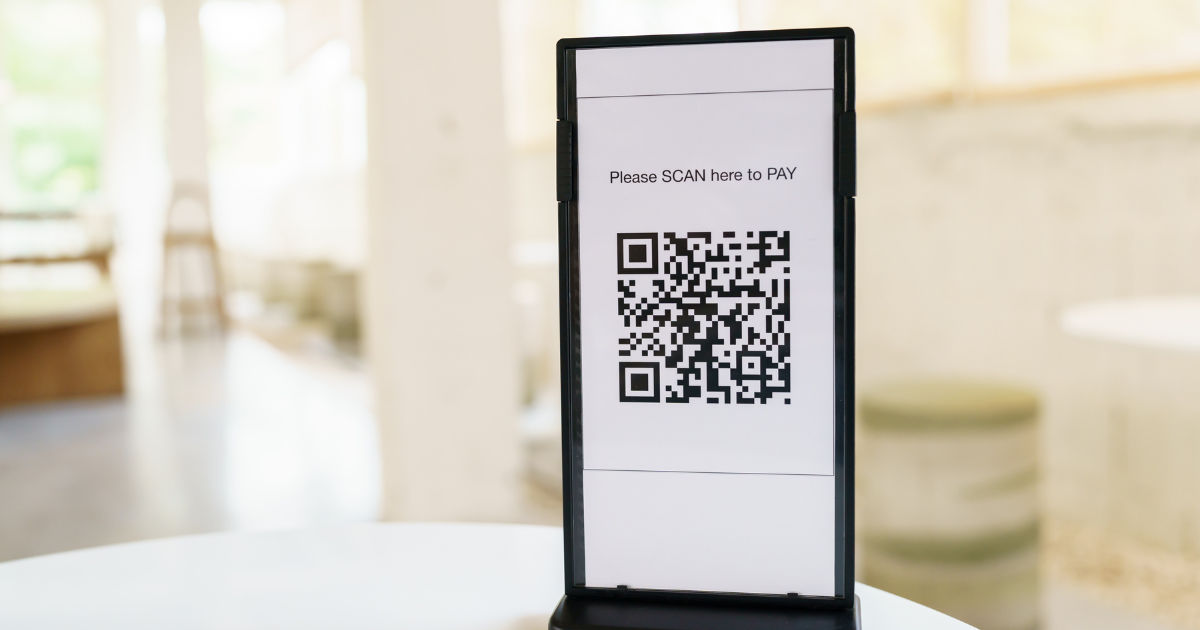
A free online qr code creator can solve this problem by generating a WiFi QR code that allows users to connect to a wireless network by simply scanning an image with their smartphone.
WiFi QR codes are becoming increasingly popular because they make network sharing faster, easier, and more secure. Instead of manually entering complicated passwords, users can scan a QR code and join the network within seconds.
Many people wonder whether a free online qr code creator can make these special QR codes or if they require advanced software. The answer is yes. Many online QR code tools can create WiFi QR codes without requiring technical knowledge.
What Is a WiFi QR Code?
A WiFi QR code is a special type of QR code that stores wireless network information. Instead of containing a website link or text message, it contains details such as the WiFi network name, password, and security type.
When someone scans the QR code using a smartphone camera or QR scanning application, the device reads the stored information and provides an option to connect to the network automatically.
This technology is useful because it removes the need to share passwords verbally or write them down. It also reduces mistakes caused by typing complex passwords with numbers, symbols, and uppercase letters.
How Does a Free Online QR Code Creator Make WiFi QR Codes?
A free online qr code creator works by converting your WiFi information into a machine-readable QR format. The process is simple and usually takes only a few minutes.
Most tools require three basic details:
Network Name (SSID)
The SSID is the name of your WiFi network. This is the name that appears when you search for available wireless networks on your device.
For example, if your router displays a network called “Home Internet,” that name is the SSID you enter into the QR code generator.
WiFi Password
The password is the security key required to access your wireless network. The generator places this information inside the QR code so compatible devices can use it during connection.
It is important to enter the password correctly. A single missing character can prevent the QR code from working.
Security Type
WiFi networks usually use security methods such as WPA, WPA2, WPA3, or sometimes no password protection. The correct security type must be selected so devices can understand how to connect.
Once these details are added, the free online qr code creator generates a QR image that can be downloaded, printed, or shared digitally.
Why Use a WiFi QR Code Instead of Sharing a Password?
Traditional password sharing is not always convenient. A WiFi QR code provides several benefits.
Faster Connection
The biggest advantage is speed. Guests do not need to ask for your password and type it manually. They only need to scan the QR code.
This is especially helpful in businesses such as restaurants, hotels, and offices where many people need internet access.
Fewer Password Mistakes
Long passwords can be difficult to enter correctly. People often confuse similar characters like “0” and “O” or “1” and “l.”
A QR code removes this problem because the information is transferred automatically.
Better Guest Experience
A simple scanning process creates a smoother experience for visitors. Homeowners can place a WiFi QR code near their entrance, living room, or workspace so guests can connect easily.
Businesses can display QR codes at reception desks or tables for customer convenience.
Are WiFi QR Codes Safe to Use?
WiFi QR codes are generally safe when created and shared responsibly. However, users should understand that anyone who scans the code may receive access to the network.
If you create a WiFi QR code for your home, only share it with trusted people. For public locations, consider using a separate guest network instead of sharing your main WiFi connection.
A reliable free online qr code creator should also avoid storing your private information unnecessarily. Before using any online tool, check whether it explains how your data is handled.
How to Create a WiFi QR Code Step by Step
Creating a WiFi QR code is a straightforward process.
Step 1: Choose a QR Code Generator
Find a trustworthy free online qr code creator that supports WiFi QR codes. Make sure the tool offers WiFi as an available QR code type.
Step 2: Enter Your WiFi Details
Add your network name, password, and security type. Double-check every detail before creating the code.
Step 3: Generate the QR Code
After entering the information, click the generate button. The tool will convert your WiFi details into a QR image.
Step 4: Test the QR Code
Always test the code before sharing it. Use your smartphone camera to scan it and confirm that the connection works properly.
Step 5: Share or Print the Code
You can save the image, print it on paper, add it to a sign, or share it digitally.
Can All Phones Scan WiFi QR Codes?
Most modern smartphones support WiFi QR code scanning. Android and iPhone devices with updated operating systems can usually recognize these codes through the built-in camera app.
Older devices may require a separate QR scanner application. The exact connection process can vary depending on the phone model and operating system.
If a device cannot connect automatically, users can still view the WiFi information and enter it manually.
Common Problems When Creating WiFi QR Codes
Although WiFi QR codes are simple, some common issues may prevent them from working correctly.
Incorrect WiFi Information
The most common problem is incorrect details. If the network name or password is wrong, the QR code will not connect.
Always compare the information with your router settings before generating the code.
Unsupported Security Settings
Some older devices may have difficulty connecting to networks using newer security standards. Testing the QR code on different devices can help identify compatibility issues.
Damaged or Low-Quality QR Images
If the QR code image is blurry, stretched, or printed poorly, scanners may struggle to read it.
Always download a high-quality image and avoid resizing it too much.
Where Can WiFi QR Codes Be Used?
WiFi QR codes are useful in many situations.
Homes
Families can create a QR code for visitors instead of repeatedly sharing passwords.
Offices
Companies can provide easy internet access for employees and guests while keeping networking information organized.
Restaurants and Cafes
Businesses can allow customers to connect quickly without requiring staff members to share passwords.
Events and Conferences
Organizers can provide internet access information through printed QR codes at registration areas or meeting spaces.
Tips for Using WiFi QR Codes Effectively
To get the best results, follow a few simple practices.
First, keep your WiFi network secure. A QR code should not replace good password habits.
Second, create separate guest networks when possible. This protects personal devices and important files from unknown users.
Third, test your QR code regularly, especially if you change your WiFi password or router settings.
A free online qr code creator makes creating these codes simple, but the security of your network still depends on how you manage access.
Benefits of Using a Free Online QR Code Creator for WiFi Sharing
A free online qr code creator provides an affordable solution for anyone who wants to simplify WiFi access. There is no need to install complicated programs or understand coding.
These tools are useful for students, families, small businesses, and organizations that need a quick way to share internet access.
They also save time because the QR code can be created instantly and reused whenever the network details remain unchanged.
Limitations of WiFi QR Codes
Although WiFi QR codes are convenient, they are not perfect.
They do not protect your network by themselves. Anyone with access to the code may be able to connect.
They also depend on device compatibility. Some older phones may not support automatic WiFi connections.
Additionally, if you change your WiFi password, you must create a new QR code because the old one will contain outdated information.
Conclusion
WiFi QR codes have changed the way people share wireless internet access. Instead of remembering and typing complicated passwords, users can connect quickly by scanning a simple image.
A free online qr code creator can easily generate WiFi QR codes by converting network details into a format that smartphones can understand. The process is fast, affordable, and does not require technical skills.
Whether you want to improve guest access at home, simplify connections in an office, or provide better service in a business environment, WiFi QR codes offer a practical solution.
However, convenience should always be balanced with security. Protect your network, use trusted tools, and only share your WiFi QR code with people you trust. When used correctly, WiFi QR codes are an excellent way to make internet access faster and more user-friendly.